



Happyjokers App
The Happyjokers app brings our full casino lobby to your phone or tablet, and it runs on the same account you already use on a computer. We deliver it as a browser-based application, so you can add it to the home screen and open the platform from an icon. Games, promotions and payment tools at Happyjokers Casino keep the structure you know from our official website. This page explains how the mobile software behaves on iOS, on Android and on desktop computers.



Happyjokers mobile experience
Speed of access is the strongest side of the mobile format. One tap on the icon opens the lobby in a few seconds, while a desktop session starts with a browser window and a full page load. Screen size is the trade-off, because a monitor shows more rows of the catalog at once and suits long evenings at the Happyjokers Casino tables. Your balance and bonus progress follow your profile rather than the device, so a session started on a laptop continues on a phone with the same figures on screen.
The comparison below shows the moments where each format performs best.
| Situation | Desktop | Happy Jokers app |
|---|---|---|
| A ten-minute session | Open the browser, load the site, then find the game | Tap the icon and reach the lobby in seconds |
| A long tournament evening | A large screen keeps the leaderboard and the reels visible together | Comfortable in shorter blocks, with the leaderboard on a second tab |
| Playing away from home | Tied to a fixed setup with power and cable | Runs on mobile data and survives a switch between networks |
| Deposits and payouts | Wide wallet layout with every field on one screen | The same wallet, rebuilt for touch input |
Both routes lead to one mobile casino account at Happy Jokers, and our support team handles requests from either format.
iOS Integration & Features
iPhone and iPad owners work through Safari, and the platform also opens in Chrome, Edge or Firefox on iOS 17 and later. Save the page from the Share panel with “Add to home screen”, and the Happyjokers app icon behaves like a regular application: it starts full screen and hides the browser bars. Touch targets, sliders and game panels scale to the display, which keeps the controls of online slots in the Happyjokers Casino lobby within thumb reach on a six-inch phone.
Portrait mode fits reel games well, and a quick rotation gives live tables more room for the video stream. Apple devices refresh their browser engine together with the operating system, so the current build of our interface loads as soon as you reopen the page. The Happyjokers app keeps the desktop navigation on iOS, with the same header, the same categories and the same search field.
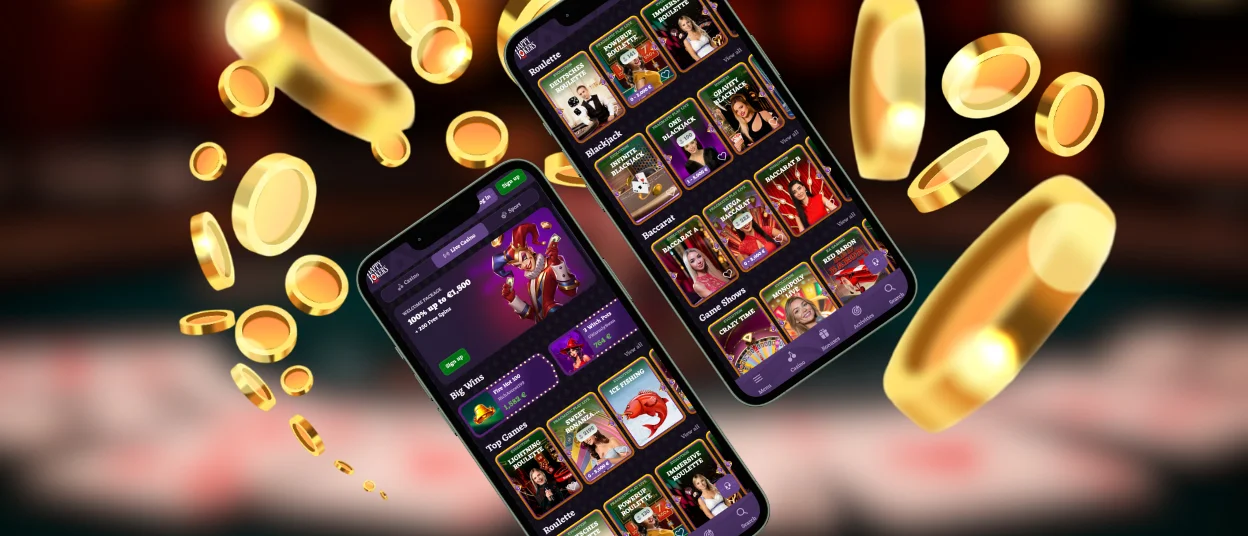
Happyjokers with Android application
Android phones and tablets open the Happyjokers Casino platform in Chrome, Samsung Internet or Firefox, and the install prompt appears in the address bar on most models. The whole procedure takes under a minute and adds roughly the weight of a single web page to storage.
- Open the Happyjokers website in Chrome and log in to your account.
- Tap the three-dot menu at the right edge of the address bar.
- Choose Add to home screen and confirm the name of the shortcut.
- Launch Happy Jokers from the new icon and continue in full-screen mode.
Mid-range hardware handles the lobby comfortably, and a device with Android 8.0 or later meets the requirements of the Happy Jokers app. Game files load from a local cache after the first visit, which shortens loading time on every later session. Push messages from the Happyjokers app about promotions arrive once you allow them in the browser settings, and the same menu turns them off again.
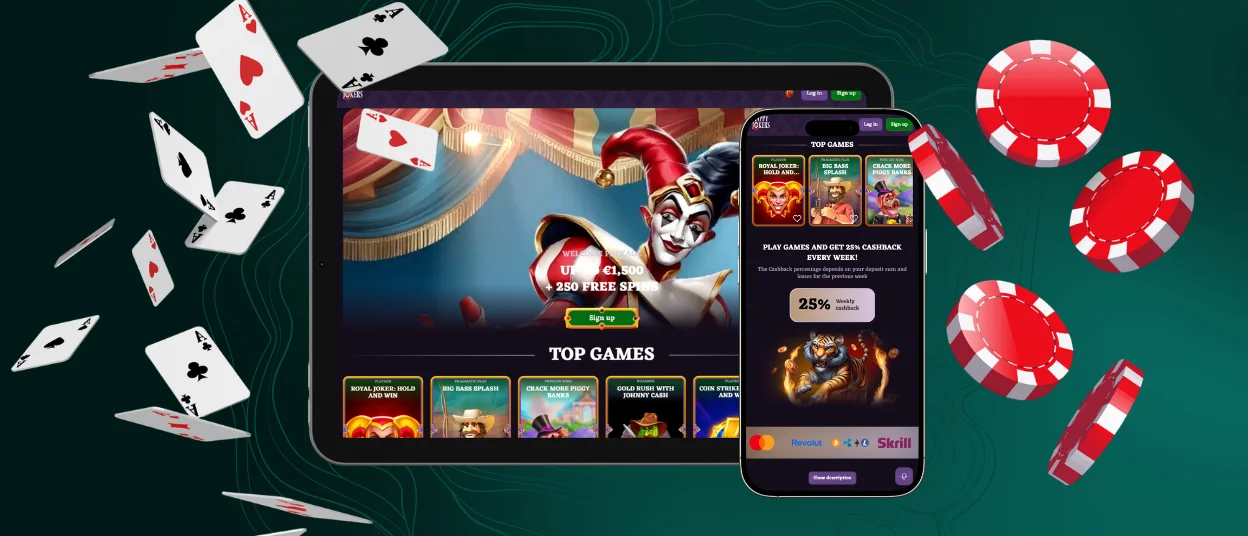
Happyjokers desktop platform
Windows and macOS computers need only a current browser. Chrome, Edge and Firefox on Windows show an install icon at the right edge of the address bar, which places the Happyjokers app in a separate window with its own taskbar entry. On macOS, Safari adds the page to the Dock through the Share menu, and Chrome offers the same option from the address bar.
A desktop window gives more space for filters and the search field, so browsing the catalog by provider goes faster. Casino play and betting services share one Happyjokers header on the computer, which turns a switch between a slot session and a match market into a single click. The Happyjokers Casino wallet works the same way here, with the deposit form and the payout request on one screen.
Happyjokers via PWA
A progressive web app runs over an encrypted HTTPS connection, and our Happyjokers Casino platform applies TLS 1.3 to every request between your device and our servers. Updates reach Happy Jokers players from the server side, so each launch opens the current version instead of an old build waiting in a store queue. Files come from our own infrastructure only, which keeps sideloaded packages and their malware risks away from your device.
| Security layer | How it works | What it gives you |
|---|---|---|
| Encrypted transport | TLS 1.3 protects login data and payment details | Safe sessions on public Wi-Fi |
| Server-side updates | A new build goes live on our servers and loads on your next visit | Current patches on every launch |
| Web application firewall | Our security solution inspects incoming requests and rejects malformed data | Fewer attack attempts reach the account layer |
| Session control | Tokens expire after a period of inactivity and close the session | Protection on shared or lost devices |
| Two-factor authentication | An extra code from the profile settings confirms each login | Stronger control over account access |
Connection problems have short fixes. When a Happyjokers app page is taking longer than expected, reload it once and try again on another network. Public hotspots sometimes return a generic block screen that points visitors to the site owner, and mobile data restores access in that situation. Our live chat stays open around the clock for everything the browser alone leaves unsolved.
Frequently Asked Questions
Can I access every account management tool via the Happyjokers mobile app?
Yes, the Happyjokers app carries the same account area as the computer version, including the wallet, bonus tracking and personal gaming limits. Documents for the verification process upload straight from the phone gallery or the camera, and the result arrives by email. Payment history stays available in the same section, with the status of each deposit and payout.
How can I keep my Happyjokers mobile software updated to the latest version?
Updates apply themselves. The Happyjokers Casino platform loads from our servers, so a page reload brings the newest build within seconds. Keep the browser itself current through Google Play or the App Store for the smoothest gaming experience, and clear the cache once if an older layout stays on screen after a reload.


