



Happyjokers Login
Account access opens from the Log In button in the top right corner of every page. The Happyjokers login form asks for the email address and the password created at sign-up, so the whole step takes seconds. Every registered player at Happyjokers Casino accesses the wallet, active bonuses and personal limits from the same panel.



Happyjokers Account Verification
Identity confirmation keeps every profile safe and satisfies the license conditions our platform follows. The verification process starts in the Profile section, where you can upload files straight from a phone or a computer. Our security service checks each document before the first withdrawal leaves a Happyjokers Casino account. One approved submission covers the profile for good, so the step repeats only when personal details change.
We accept the following documents:
| Document type | Accepted files | What it confirms |
|---|---|---|
| Identity | Passport, national ID card or driver’s license | Your full name and age |
| Address | Utility bill or bank statement issued within the last three months | The address registered on the profile |
| Payment method | Card image with the middle digits covered, or an e-wallet statement | Ownership of the method used for deposits |
Checks take 24 to 48 hours, and the outcome arrives by email. Clear photos with all four corners visible speed up the process. Approval unlocks withdrawals and raises payout limits, and it also releases funds held on promotional balances. Players who climb the loyalty ladder at Happy Jokers Casino receive priority handling from the same team. Uploaded files stay encrypted on our servers and remain visible only to the compliance department. The current status appears in the profile after every Happyjokers login.
Happy Jokers Login and Account Management
Two fields stand between a player and the balance. Select Log In, type the email address linked to the profile and confirm with the password. The session stays active on that device until you sign out, and a timeout closes it after a long pause. Mobile browsers follow the same flow, so a Happy Jokers login works identically on a phone.
The account panel puts the following areas under your control:
- Wallet – deposits, withdrawals and a clear split between real funds and bonus money.
- Bonus Hub – activation of cashback, missions and tournaments, with live wagering progress.
- History – a record of every session, transaction and claimed offer.
- Profile settings – personal details, password changes and the interface language.
- Responsible gaming – deposit limits, loss limits, session timers and self-exclusion.
Each Happyjokers login refreshes the bonus status shown in the wallet. Balance data stays synchronized across devices, so a session opened on a desktop continues on a tablet with the same progress. Our multilingual support covers English alongside German and French. The Support Team answers through live chat around the clock from the green Support button, and email replies go out on the same day.
Happyjokers Registration
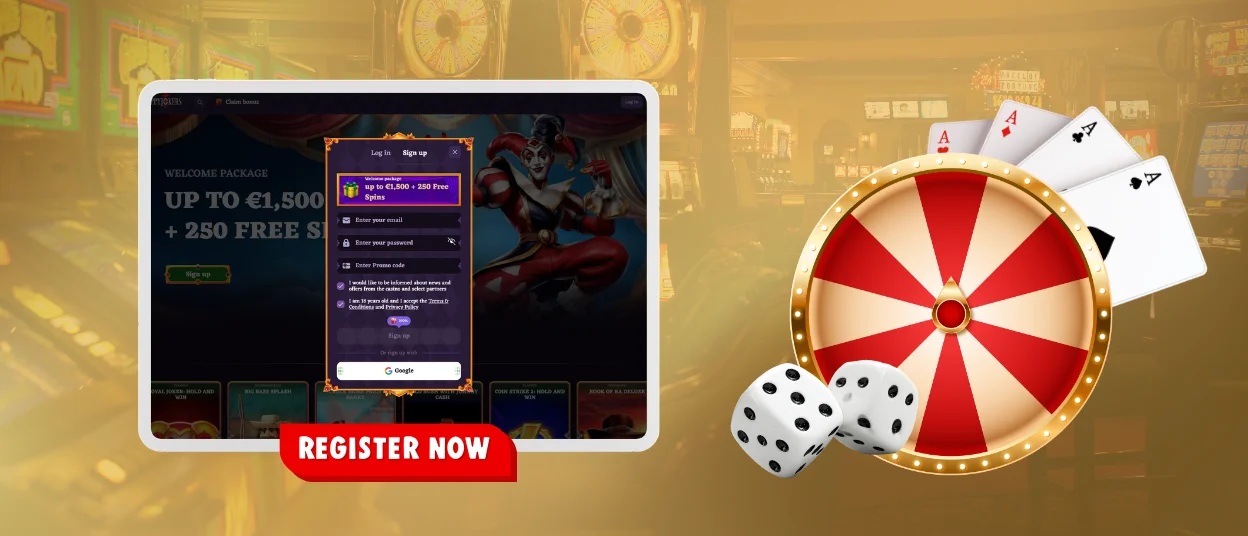
Two short screens complete the sign-up form, and the whole process runs in about two minutes. Age confirmation of 18 or over applies to every applicant.
- Select Sign Up in the top right corner of the site.
- Enter your email address and create a strong password.
- Tick the Terms and Conditions box and submit the first screen.
- Fill in your first name, last name, date of birth and phone number, then press Save.
- Open the activation link sent to your inbox to finish registration at Happyjokers Casino.
A confirmed profile unlocks the welcome package and the Bonus Hub, where cashback and missions wait for the first deposit. Loyalty points start counting from the opening bet, and every new level raises payout limits. Guests browse the catalog in demo mode, while real-money play and prize draws stay reserved for registered members of Happy Jokers Casino. A single email address supports one profile, and the same credentials serve the browser version and the mobile app.
Two-Factor Authentication Setup
A second confirmation code guards the profile even when a password leaks. Setup lives in the Security tab and takes under a minute:
- Open Profile and switch to the Security tab.
- Set two-factor authentication to active.
- Choose email or an authenticator app as the delivery channel.
- Enter the six-digit code sent to that channel to confirm the link.
- Save the backup codes shown on screen in a safe place.
- Change the channel or switch the feature off from the same tab at any time.
Once the feature is live, the extra code appears at each Happyjokers login from a fresh device or a new location. Our security service flags unusual sign-in attempts as well and sends an alert to the registered email address. Two-factor protection is free for every Happyjokers Casino account and works alongside the standard password rules.
FAQ
Can I see which devices are currently logged in to my Happyjokers account?
Yes. The Security tab lists every active session with the device type, the location and the time of the last Happyjokers login. Ending a session there signs that device out at once. Report an unfamiliar entry to the Support Team through live chat, and our specialists will lock the profile while they check it. Sessions also expire on their own after a long period of inactivity.
Can a player hold more than one account at Happyjokers Casino?
One profile per person, household and IP address is the rule at Happyjokers Casino. Duplicate accounts are closed as soon as our security service detects them, and bonuses credited to those accounts are canceled. Players who need a different currency or a new email address should write to support, and the team will update the original profile. Household members with separate identity documents can open individual accounts after manual approval.
What are the steps to retrieve a forgotten Happy Jokers password?
Select the Forgot password link on the Happyjokers login form and enter the email address tied to the account. A reset message arrives within a minute and stays valid for a limited period. Create a fresh password of at least eight characters, then sign in with the updated details. Players who finish the verification process keep full access to the wallet right after the reset. Happy Jokers support resends the message through live chat when the first email is delayed.


